GuidePack — Offline Screenshot Guide Maker
A downloadable tool
Your screenshots. A clear guide.
GuidePack turns screenshots you already have into branded instructions for your customers, products or small business. Arrange the steps, add text, mark the important parts, then download a finished guide.
$19 once. Use the purchased version for yourself and your own business on your devices. No account, subscription, cloud upload or online activation.
Make it useful, then share it
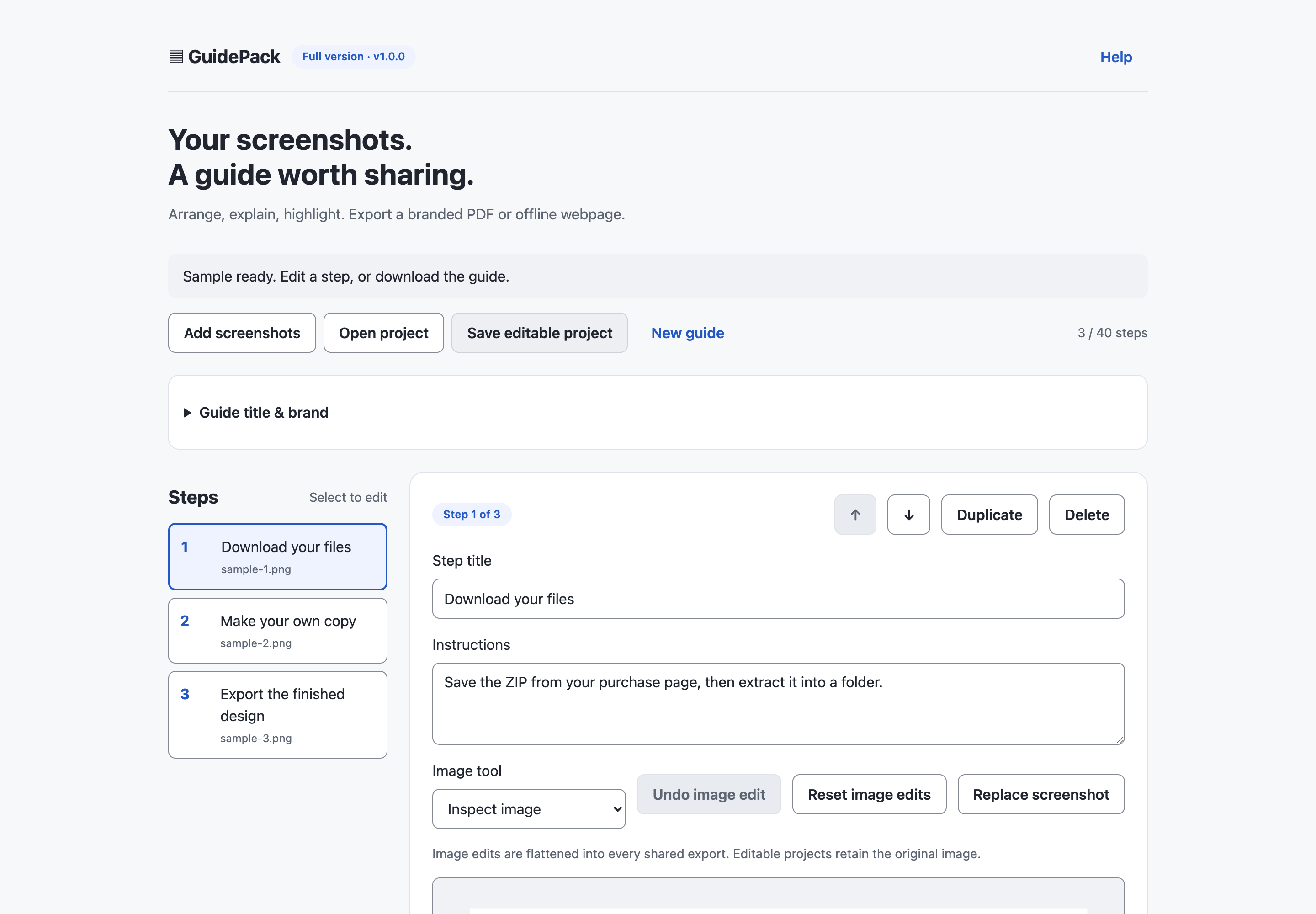
- Import PNG, JPG or static WebP, drag in files or paste an image.
- Edit step titles and instructions; reorder, duplicate or replace a screenshot.
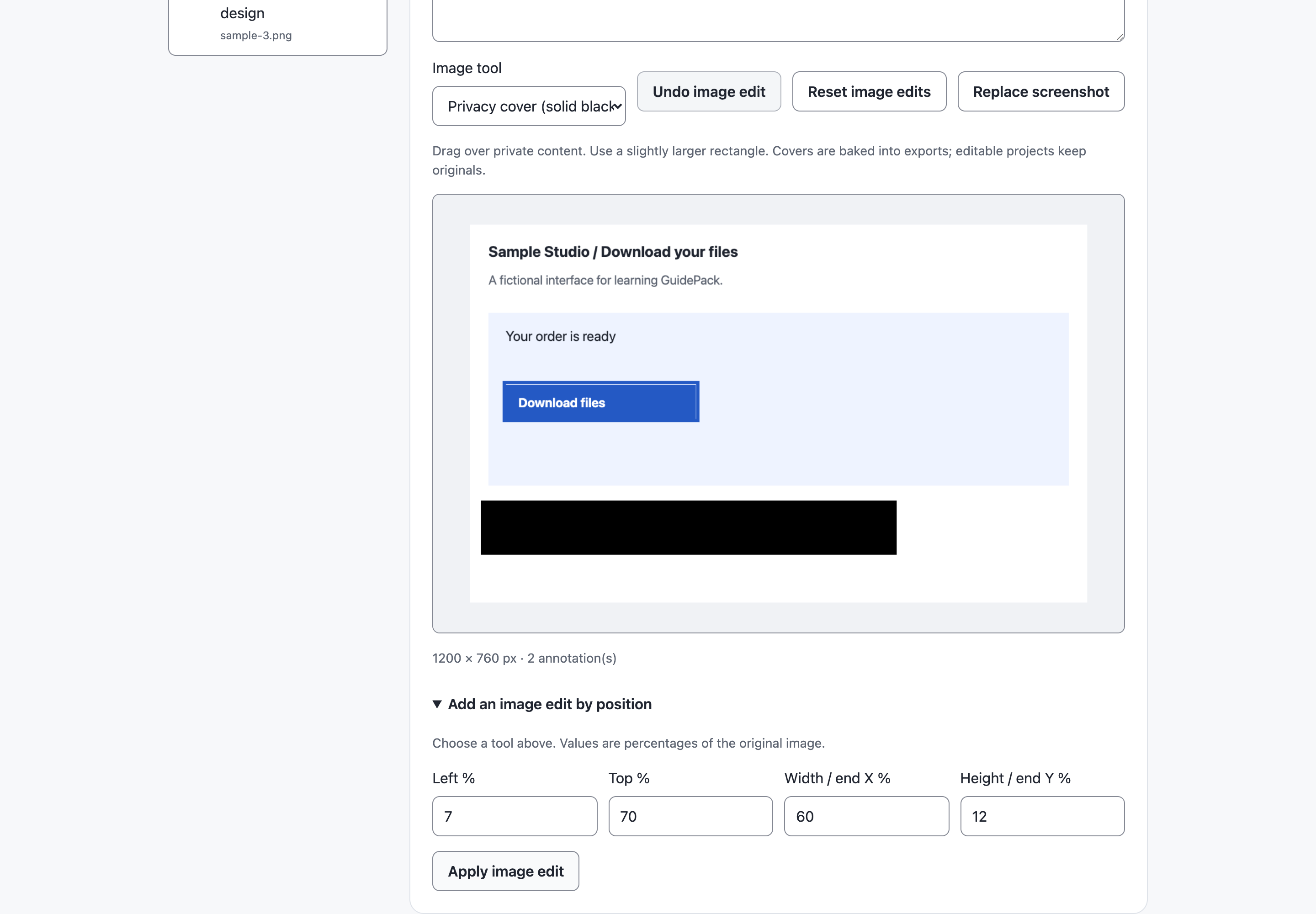
- Add boxes, arrows and numbered points. Crop or manually cover private content.
- Add your guide title, brand name, accent color and logo.
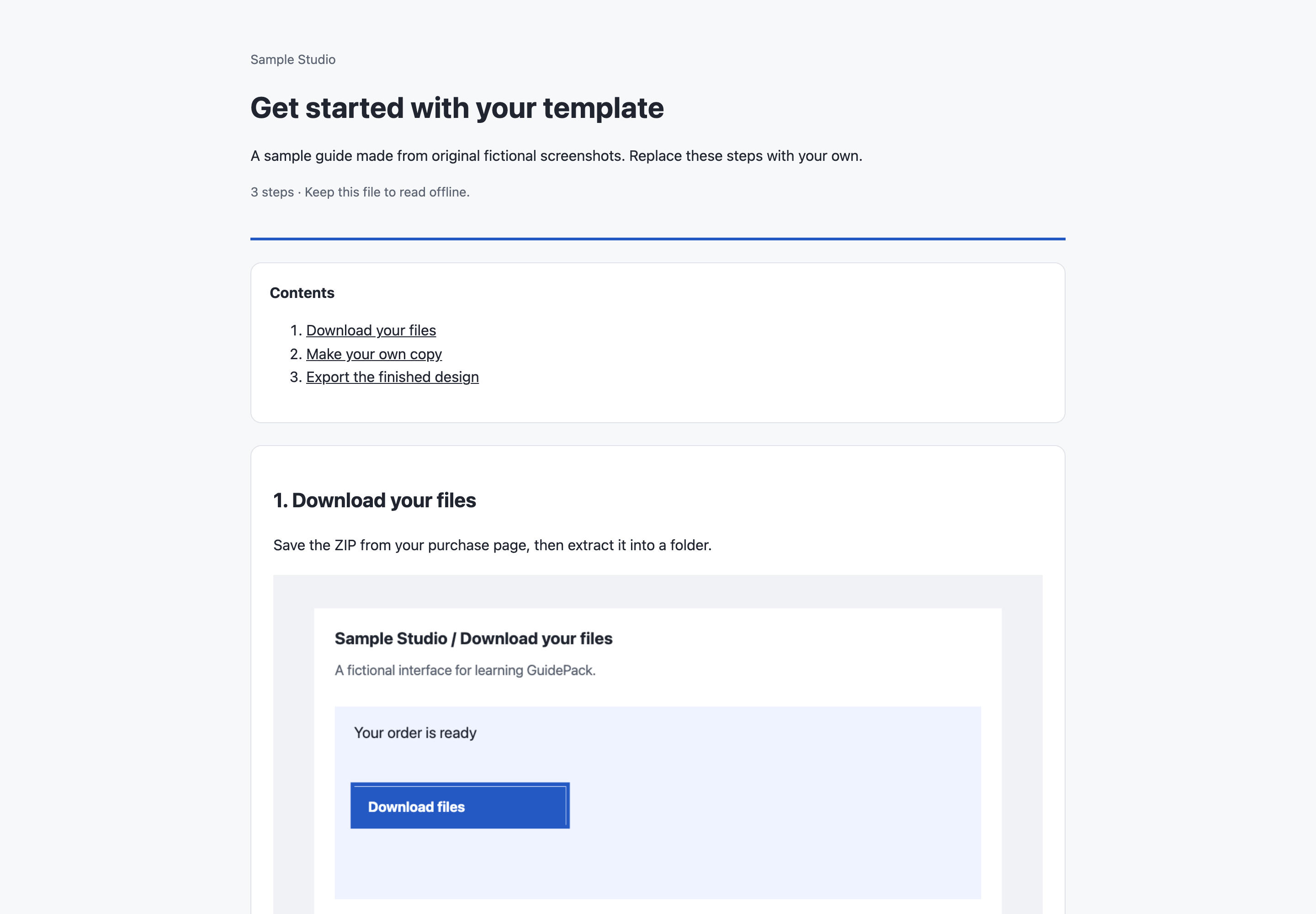
- Download PDF directly, one self-contained HTML page, or a Markdown + PNG ZIP.
- Save a private editable project and update it later.
Try before buying
The free demo supports five steps and actual exports. The full version supports 40 steps per guide. There is no monthly guide creation quota. Sample screenshots, editable project, actual output files and English instructions are included.
Open offline
Extract the ZIP and open the application HTML in a current desktop browser. No installation or server required. Files are processed on your device; originals are not overwritten.
Know the boundaries
- This is an editor for imported screenshots, not an automatic click recorder. Use your system screenshot tool first.
- PDF uses 144-dpi raster pages. Text is not searchable/selectable and PDF is not accessibility-tagged. HTML / Markdown retain readable text.
- 50 MB total normalized images including logo; 12 MP / 12000px per image. Static JPG, PNG and WebP without WebP EXIF. No HEIC, GIF, animations or existing PDF input.
- Long screenshots continue across PDF pages. Export quality depends on your source screenshots; missing detail cannot be recovered.
- Privacy covers are manual and baked into shared exports. Editable projects include original screenshots, so keep projects private. Check your typed text and logo as well.
- No OCR, AI writing, cloud hosting, team collaboration, Word or SCORM export. Future major features are not included in this purchase.
Actual local-file tests ran on macOS with Chrome, Firefox and WebKit test engines. Windows/Linux displays were simulated on macOS; native Windows/Linux, branded Safari/Edge and mobile devices remain unverified. Desktop Chrome is the recommended starting point. For support, report the version, browser and error through this product page; keep confidential files out of public comments.
Purchase
In order to download this tool you must purchase it at or above the minimum price of $19 USD. You will get access to the following files:
Download demo
Development log
- Turn Screenshots into a Branded PDF User Guide7 hours ago
Leave a comment
Log in with itch.io to leave a comment.