TakeReview — Offline Silence Remover & Retake Review for Mac
A downloadable tool for macOS
Too many pauses and repeated takes in your talking-head recording?
TakeReview gives you a small, offline workspace to review a rough cut. See pause suggestions, listen to similar English takes side by side, choose what stays, and export a new MP4. Your original recording is never changed.
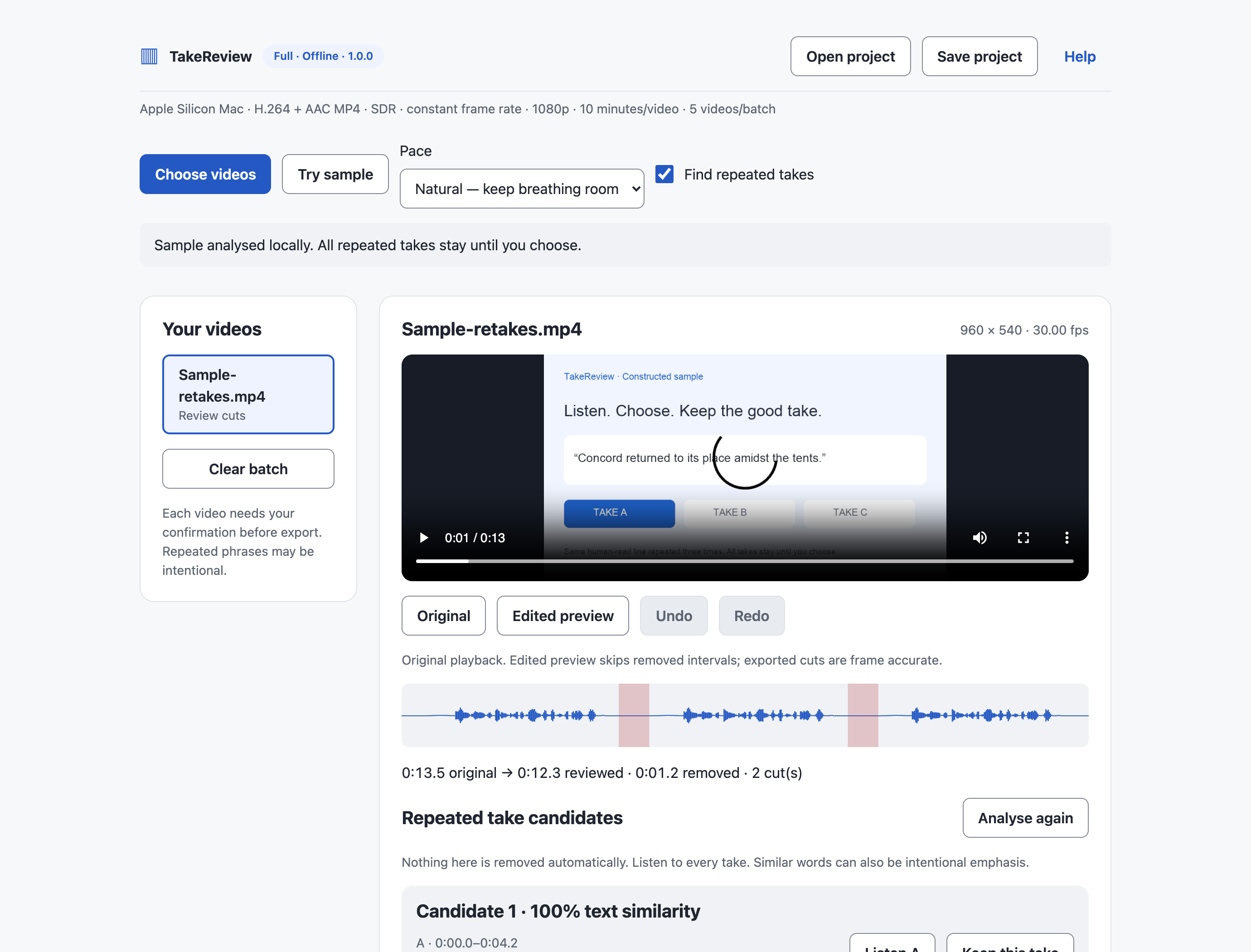
- Hear before you cut. Switch between original playback and an edited preview. Restore pause suggestions, undo a choice, or add a manual cut.
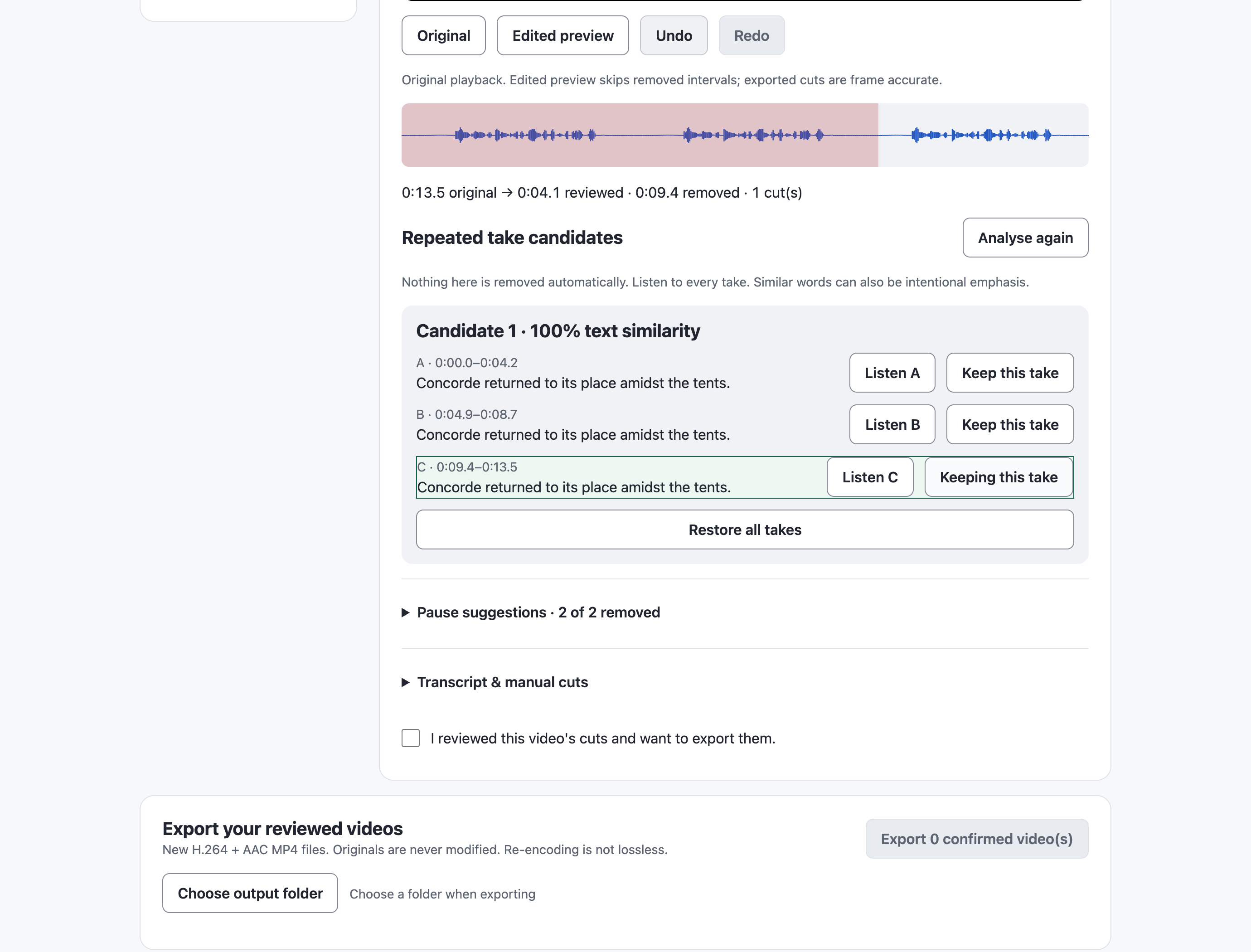
- Choose the good take. Local English transcription groups nearby similar speech blocks as A/B/C candidates. Repeated takes stay until you explicitly choose one.
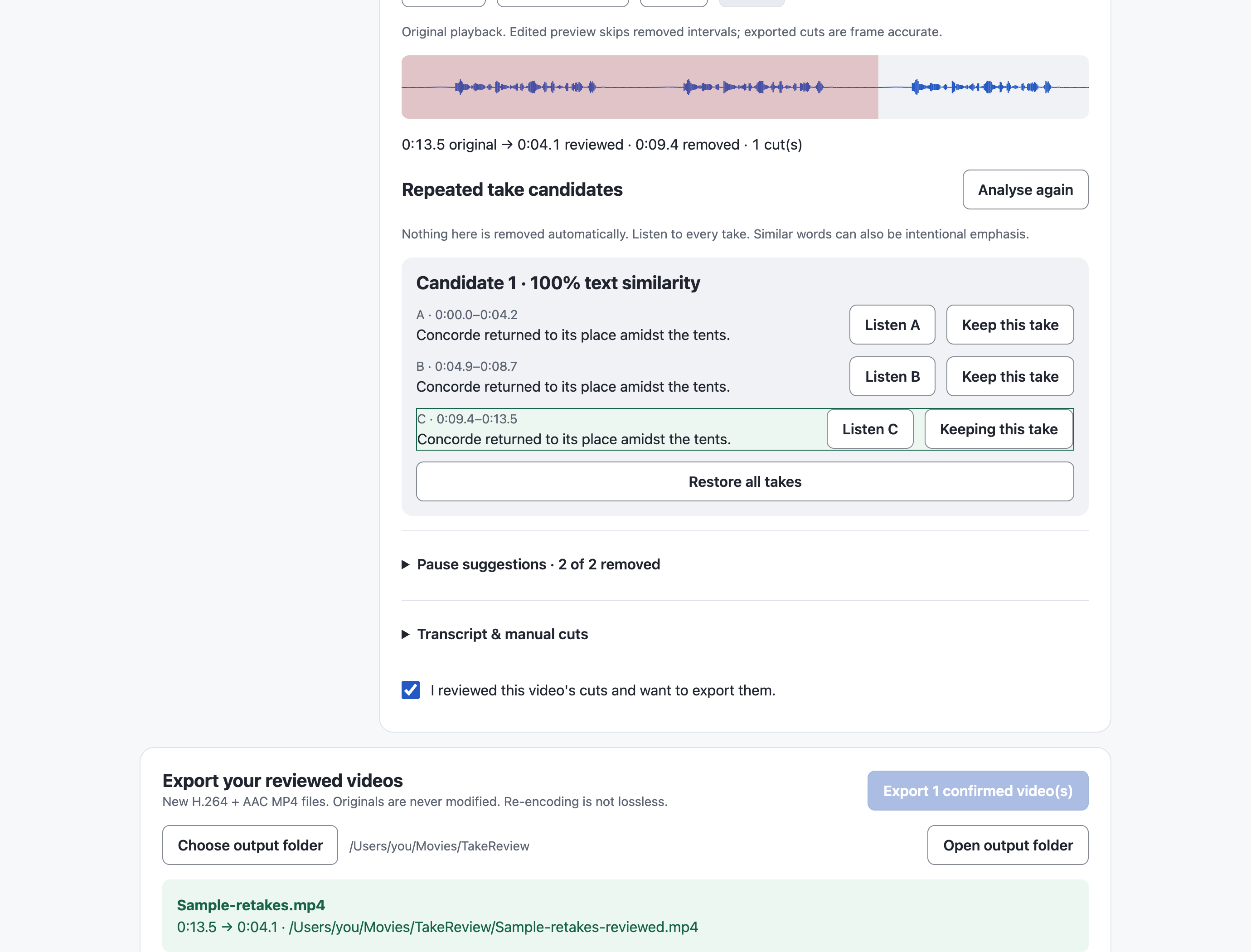
- Finish a batch. Review and confirm each video, then export up to five recordings sequentially. Successful exports remain available if you cancel or another item fails.
- Resume later. Save a project with your cut choices. Reopening checks the original files; moved or changed sources need attention.
- Keep files on your Mac. Engines and English model are included. No account, cloud upload, API key, activation server or subscription.
$29 once. Try the free Demo before buying. The Demo processes one supported video up to 60 seconds and exports a real MP4 without a watermark. The full version supports five videos per batch, up to 10 minutes each. A personal perpetual license covers this version and your own commercial video work; future major versions are not promised.
Check your recording format first
Apple Silicon Mac only. The build targets macOS 14 or later; the release was tested on macOS 26.6.2, M4 Pro, 48 GB RAM. Other macOS versions and lower-memory hardware need your Demo check before purchase.
Input: .mp4, H.264 video + AAC audio, one video track and one mono/stereo audio track, 8-bit SDR, square pixels, constant 10–60 fps, up to 1920×1080 or 1080×1920, and at most 2 GB per file. Unsupported codecs, variable frame rate, HDR, 4K, silent and multi-track files are rejected with a diagnostic. Use a compatible recording/export preset first.
Output: a newly encoded H.264 + AAC MP4 in your chosen folder, with a JSON result report. Re-encoding is not lossless. No SRT/XML export, full timeline editor, voice enhancement, automatic B-roll or social publishing.
Suggestions need your judgement. English recognition can make mistakes. Candidate grouping compares nearby speech blocks separated by pauses of at least 0.7 seconds; it can miss short restarts or different wording. Text similarity is not a quality score. Repetition can be intentional. Quiet speech can resemble silence, so listen to cuts before confirming.
Installation: Download and fully extract the ZIP, move the .app to Applications, and open it. This budget release is ad-hoc signed and is not Apple-notarized. macOS may require per-app approval in System Settings → Privacy & Security → Open Anyway. Keep system protections enabled. The Demo has the same installation requirements. START-HERE.txt and USER-GUIDE.html are included.
Screenshots use the actual interface and genuine processing results. The included example repeats one attributed LibriSpeech human-read line to demonstrate choices; it is a constructed sample, not a claim of perfect natural retake recognition.
For support, leave a comment with your macOS version, recording format and the displayed error. Never post private recordings, workplace files or personal details. Replies are asynchronous; custom editing services are not included.
Purchase
In order to download this tool you must purchase it at or above the minimum price of $29 USD. You will get access to the following files:
Download demo
Development log
Leave a comment
Log in with itch.io to leave a comment.